Some of the content described in this article is available in meshIQ Manage versions 12.1 and later.
For a quick overview of what's new or changed, visit the meshIQ Highlights page for a version-by-version breakdown.
Jump to Section:
Version 12.x and Later
Version 11.3 and Earlier
Version 12.x and Later
The Events widget displays middleware and APMW events, in real time. You can use it to view events and to roll back changes that have been made to an object's attributes.
To open the Events tab in the Console:
From the widget’s Selected menu, select Events.
The Events tab opens in the Console and displays a list of events. The Event # column shows the event number within its category.
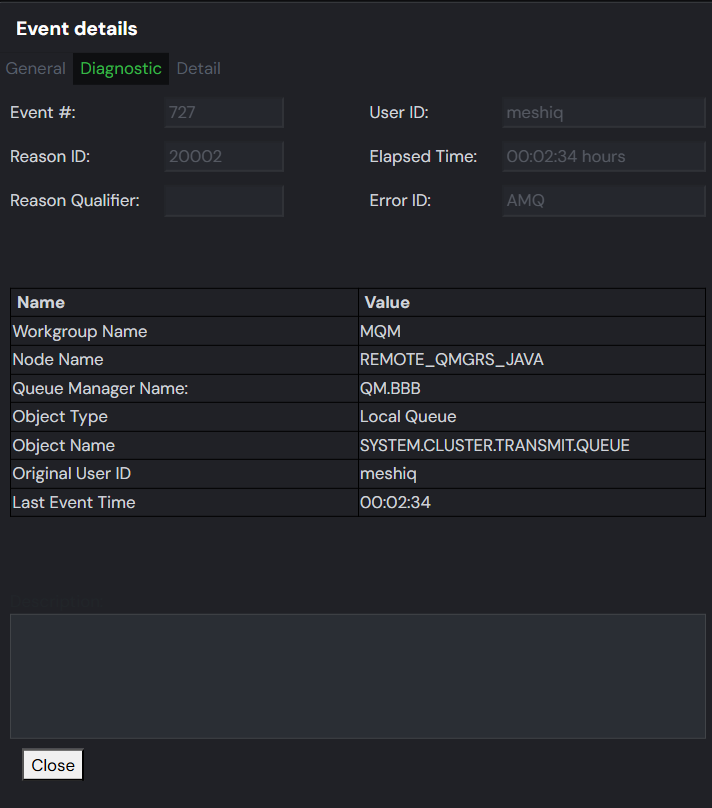
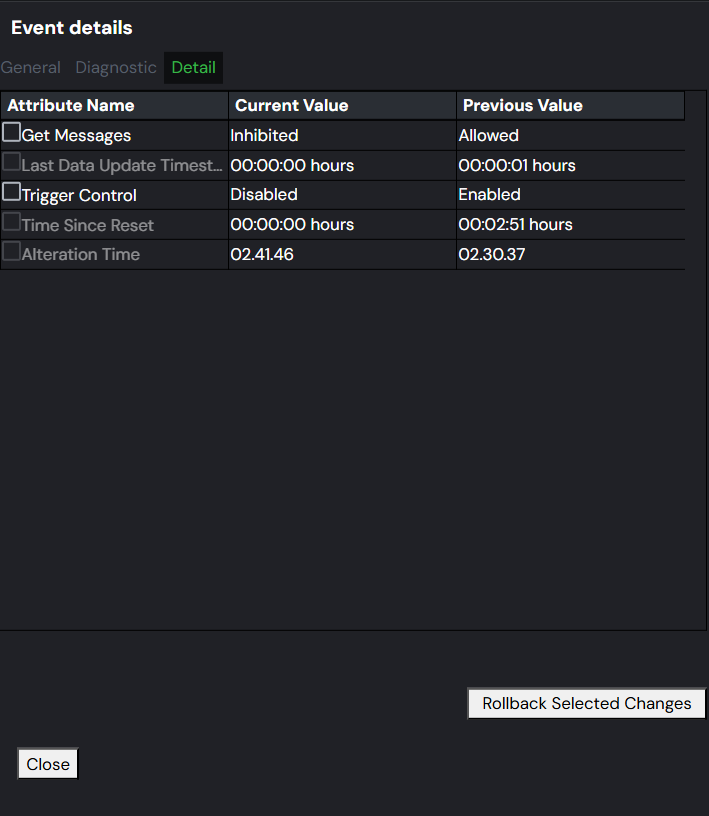
Click an event number to open the Event Details window. The window includes three tabs: General, Diagnostic, and Detail.
The General tab provides context for the Receive Time. By default, the system converts the event date and time to local time and displays the Coordinated Universal Time (UTC) offset. To view the date and time in GMT, click the GMT option button.
General tab
Diagnostic tab
Detail tab
Roll Back Attribute Changes
Some attribute changes cannot be rolled back. For example, if you attempt to roll back an increase in partitions for a Kafka topic, the rollback action is not allowed because the number of partitions cannot decrease. If a change has been made that is not eligible for rollback, the relevant error is displayed.
To restore each attribute’s previous properties:
- Select the Detail tab.
- Select one or more changed attributes that you want to revert to their previous values.
- Click Rollback Selected Changes.
_________________________________________________________________________________________________________________
Version 11.3 and Earlier
The Events viewlet displays middleware and APMW events, in real time. You can use it to view events and to roll back changes that have been made to an object's attributes.
Versions 11.1 and earlier
Version 11.2
To open the Events viewlet in the console:
- Select Events from the queue manager’s action menu (Selected menu in 11.2).
- The Events Viewlet opens in the Console with a list of events. The Event # provides the event number within its category number.
-
Click a blue event number to open the Event details window for the event. There are three tabs: General, Diagnostic and Detail.
The General tab provides context for the Receive Time that is shown. By default, the event date and time is converted to local time. The Coordinated Universal Time (UTC) offset is displayed. To view the date and time converted to GMT, click the GMT option button.
Roll back attribute changes
Some attribute changes cannot be rolled back. For example, if you attempt to roll back an increase in partitions for a Kafka topic, the rollback action is not allowed because the number of partitions cannot decrease. If a change has been made that is not eligible for rollback, the relevant error is displayed.
To restore each attribute’s previous properties:
- Select the Detail tab.
- Select one or more changed attributes that you want to revert to their previous values.
- Click Rollback Selected Changes.